Register your APIs
Now, its time to start registering your organiational APIs to build a centralized inventory. You can continue using the Azure CLI apic-extension, but for now, let's use the VS Code extension.
To complete registering an API, you will be required to provide an OpenAPI definition file. We'll tap into the power of GitHub Copilot, your AI-Pair programmer, to help us generate an OpenAPI definition from our code.
Generate OpenAPI Spec with GitHub Copilot
GitHub Copilot will analyze the API code and create an OpenAPI definition. Open the API Code by navigating to src/api/services/index.js. With your cursor on the file, Right click, expand Copilot and click on Generate API Documentation.
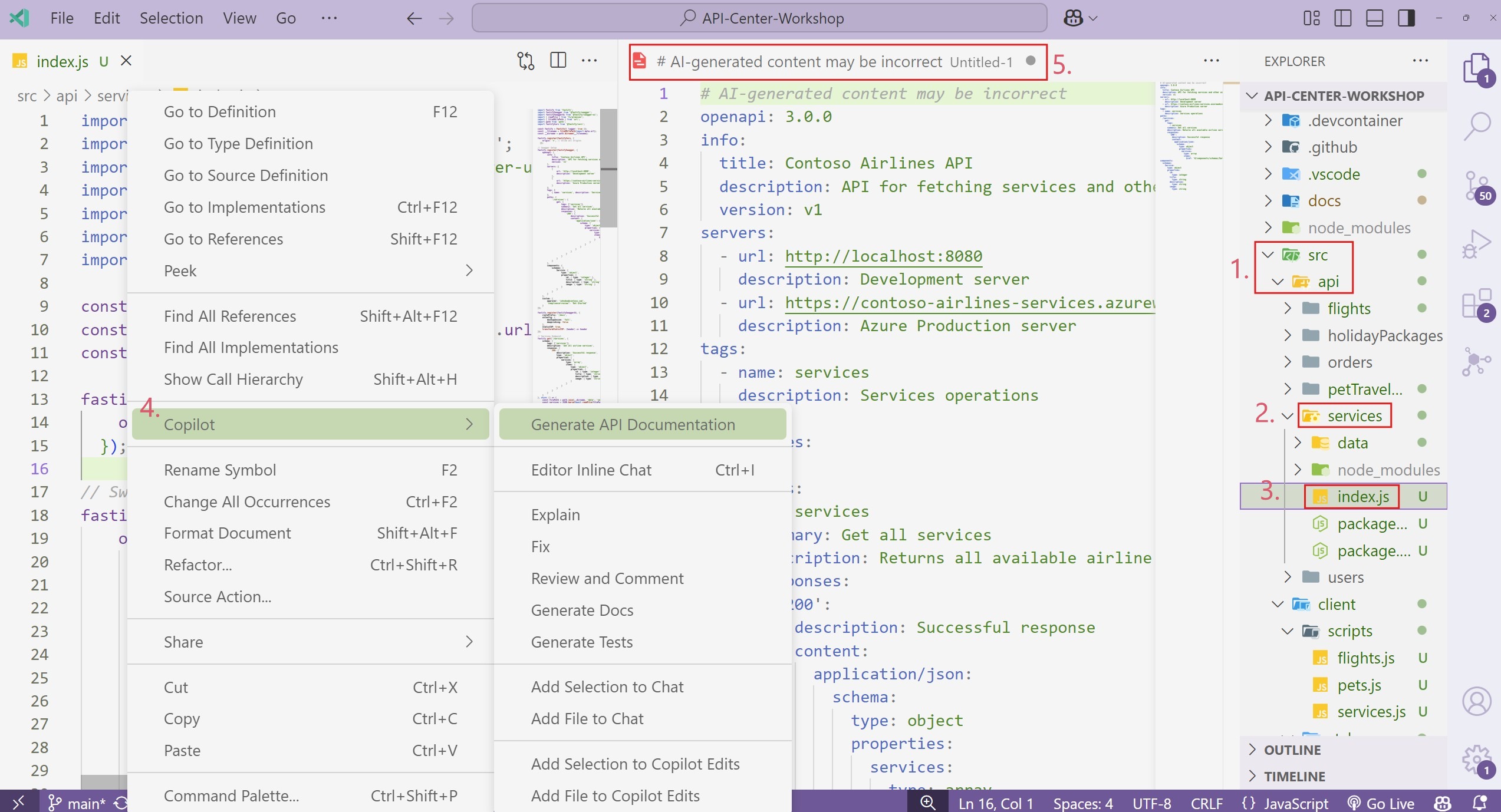
Take some time to review the specification file to check on accuracy, then save the file (yaml) to use in the registration step.
Register APIs
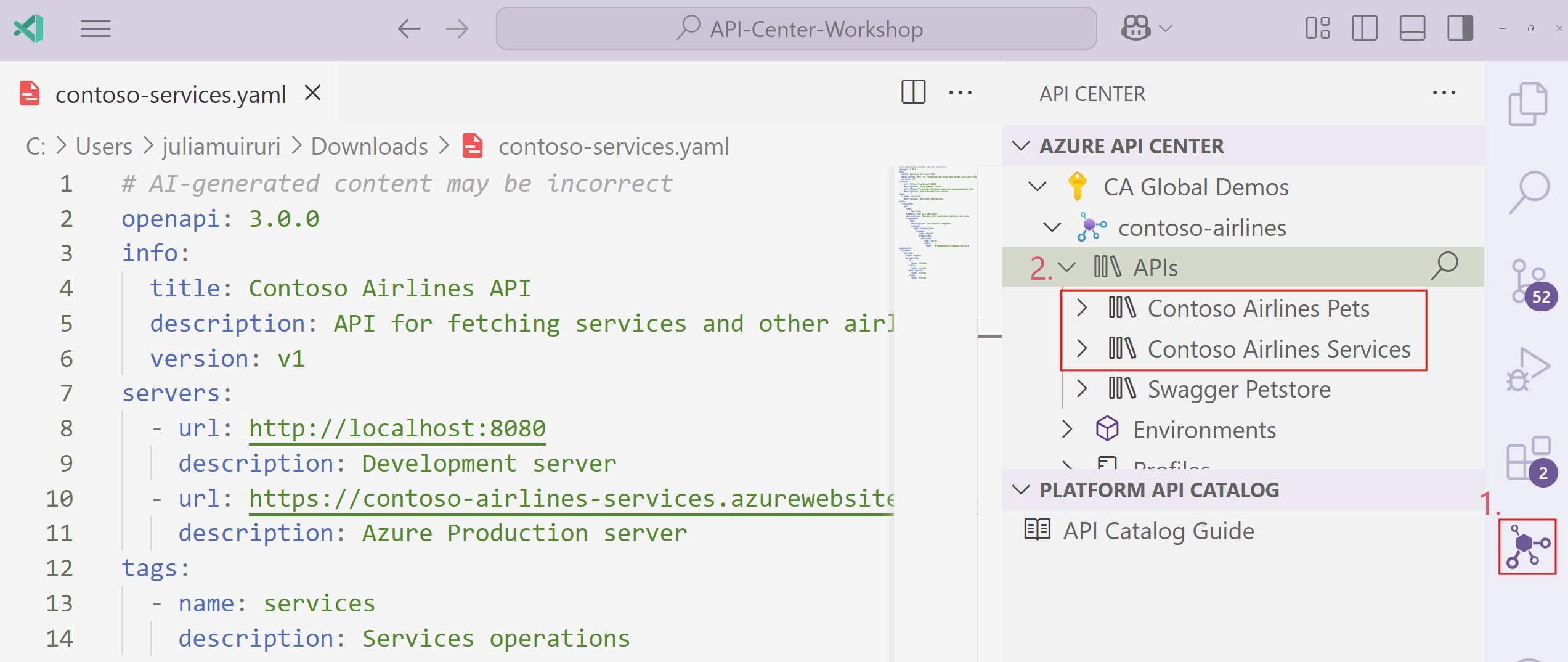
To register a new API, click on the API Center icon on the side bar, right click on APIs, select Register API and follow the prompts. Alternatively, you can open the Command Pallete (Ctrl + Shift + P), type Azure API Center: Register API, hit Enter and follow the prompts
1. Service API
- Register API: Manual
- API Title: Contoso Airlines Services
- API Type: REST
- Version: v1
- Lifecycle: Development
- API Definition title: Contoso Airlines Services
- Specification name: OpenAPI
- Select file >>
contoso-services.yaml
Do the same for the other API:
2. Pet Travel Companion API
- Generate an OpenAPI Spec file with GitHub Copilot.
- Register to API Center
- Register API: Manual
- API Title: Contoso Airlines Pets
- API Type: REST
- Version: v1
- Lifecycle: Design
- API Definition title: Contoso Airlines Pets
- Specification name: OpenAPI
- Select file >>
contoso-pets.yaml
Once you have added the APIs, refresh your API Center and they should both show up on the list of APIs.
View API Documentation
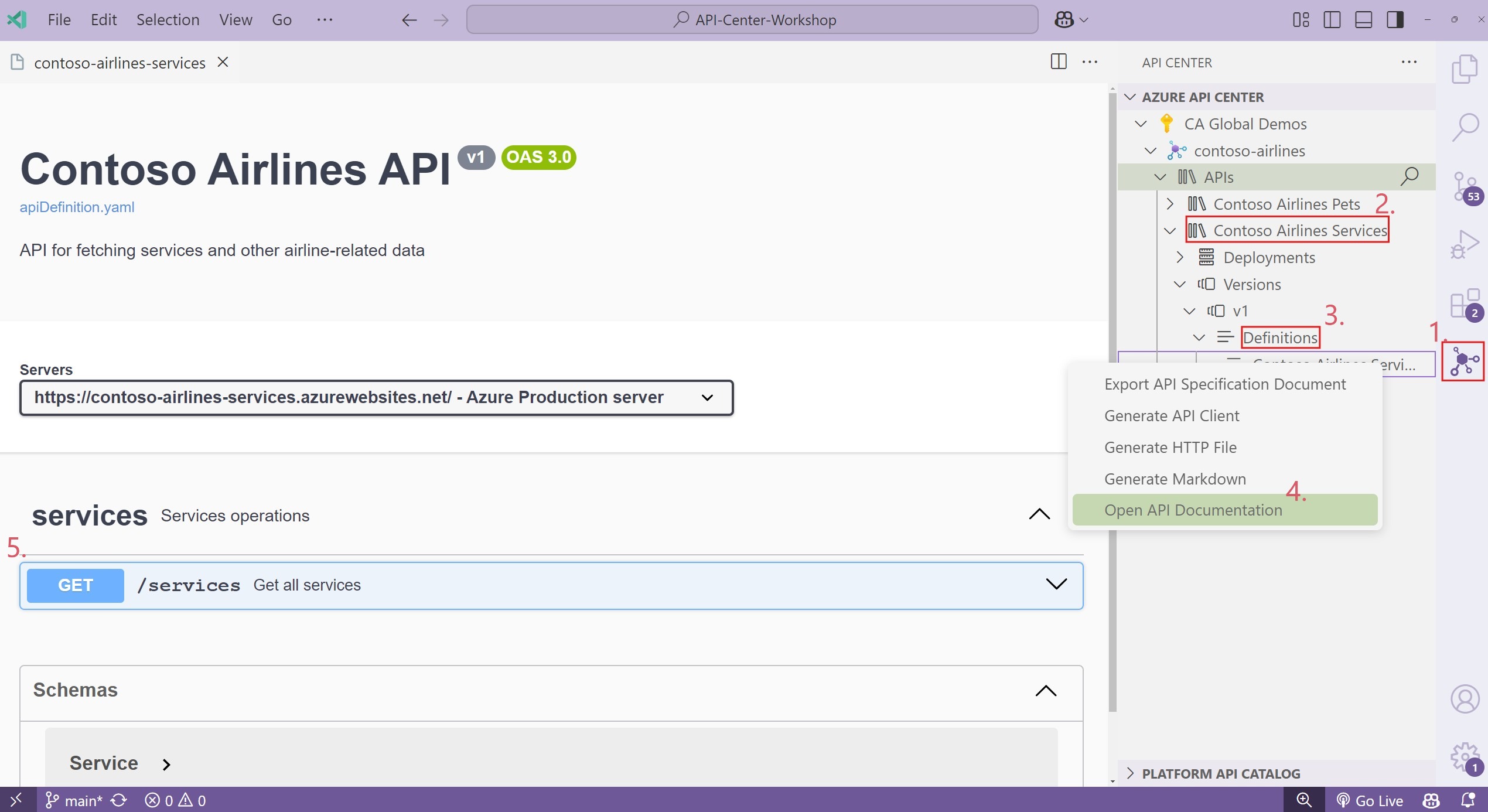
Once you have registered your API, assigned a version and provided a definition, you can view the API Documentation directly in VS Code. Click on the API, expand the Versions, then Definitions and right click on the OpenAPI definition file and choose Open API documentation.
Next, we'll augment our inventory of APIs by adding some information about environments and deployments.