
Replace connection strings with passwordless Azure Managed Identity so Container Apps reach Azure resources securely using RBAC and DefaultAzureCredential.
You've seen how the vulnerable server exposes tokens and lacks proper authentication. Now it's time to harden the secure server by giving it a passwordless identity in Azure.
What is Managed Identity?
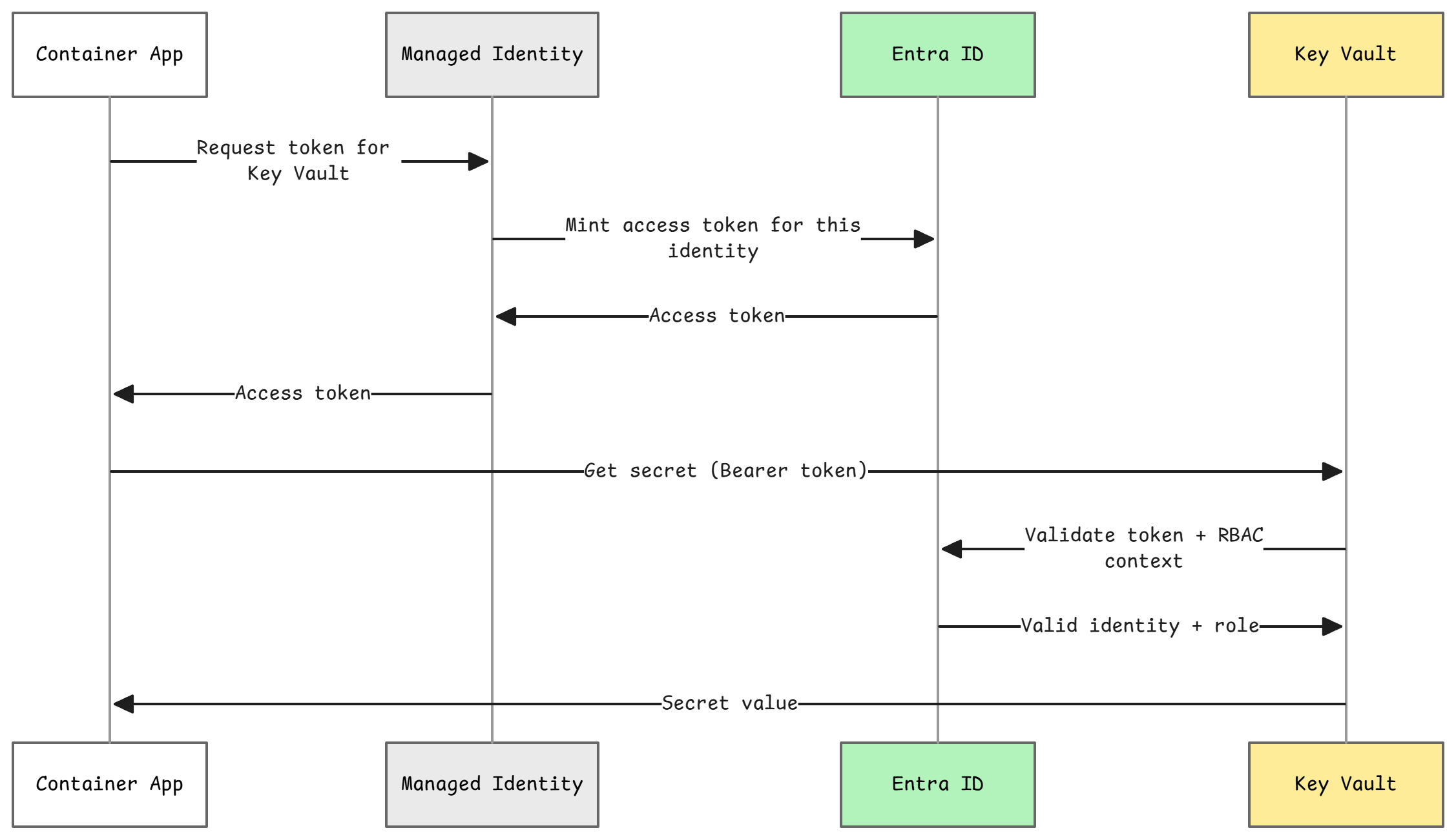
Azure Managed Identity eliminates passwords and keys by having Azure automatically manage credentials for you:
- No secrets to store - Azure handles authentication
- No secrets to rotate - Azure manages the lifecycle
- Uses Azure RBAC - Permissions controlled by role assignments
- Works with many Azure services - Key Vault, Storage, Cosmos DB, etc.
How it works:
- Your Container App has a Managed Identity (automatically created)
- You grant that identity RBAC permissions (e.g., "Key Vault Secrets User")
- Your code uses
DefaultAzureCredential()- automatically picks up the identity - No passwords, no keys, no secrets!
Waypoint 3: Enable Managed Identity
From this waypoint forward, all steps focus on the secure server:
- Waypoint 3: Enable Managed Identity (passwordless Azure authentication)
- Waypoint 4: Migrate secrets to Key Vault
- Waypoint 5: Configure OAuth 2.1 with JWT validation
- Waypoint 6: Validate the security improvements
The vulnerable server stays unchanged—it's your "before" snapshot for comparison.
Verify Managed Identity Setup
Your infrastructure already created the Managed Identity during the provision process. Let's verify it:
This script:
- Loads your azd environment variables
- Verifies the Managed Identity exists
- Confirms RBAC role assignments to Key Vault
Expected output:
Camp 1: Enable Managed Identity
==================================
Loading azd environment...
Managed Identity Principal ID: xxxxxxxx-xxxx-xxxx-xxxx-xxxxxxxxxxxx

🔍 Verifying Key Vault role assignment...
Role                        Scope
--------------------------  --------------------------------------------------
Key Vault Secrets User      /subscriptions/.../providers/Microsoft.KeyVault/...

Managed Identity setup complete!
The Container App can now access Key Vault secrets without passwords.
Understanding the Security Improvement
Before (vulnerable):
# Hardcoded connection string - BAD!
CONNECTION_STRING = "DefaultEndpointsProtocol=https;AccountName=...;AccountKey=EXPOSED_KEY..."
client = BlobServiceClient.from_connection_string(CONNECTION_STRING)
After (secure with Managed Identity):
from azure.identity import DefaultAzureCredential

# No secrets! Managed Identity authenticates automatically
credential = DefaultAzureCredential()
client = BlobServiceClient(account_url="https://storage.blob.core.windows.net", credential=credential)
How This Protects You
| Threat | Before | After |
|---|---|---|
| Credential theft | Keys in env vars | No keys to steal |
| Rotation burden | Manual rotation | Azure auto-rotates |
| Portal exposure | Visible to readers | Not visible (identity reference only) |
| Code leaks | Keys in repo | No keys in code |
| Over-privileged | Often admin keys | Least-privilege RBAC |
Next Step
Managed Identity is configured! Now let's use it to access Key Vault in Waypoint 4.